Pixel Art Grid Maker
Turn any image into a pixel art grid you can count and print: numbered rows and columns, a heavier line every 5 or 10 cells, and a list of every color you need.
Colors in your pixel art
A printable pixel art grid
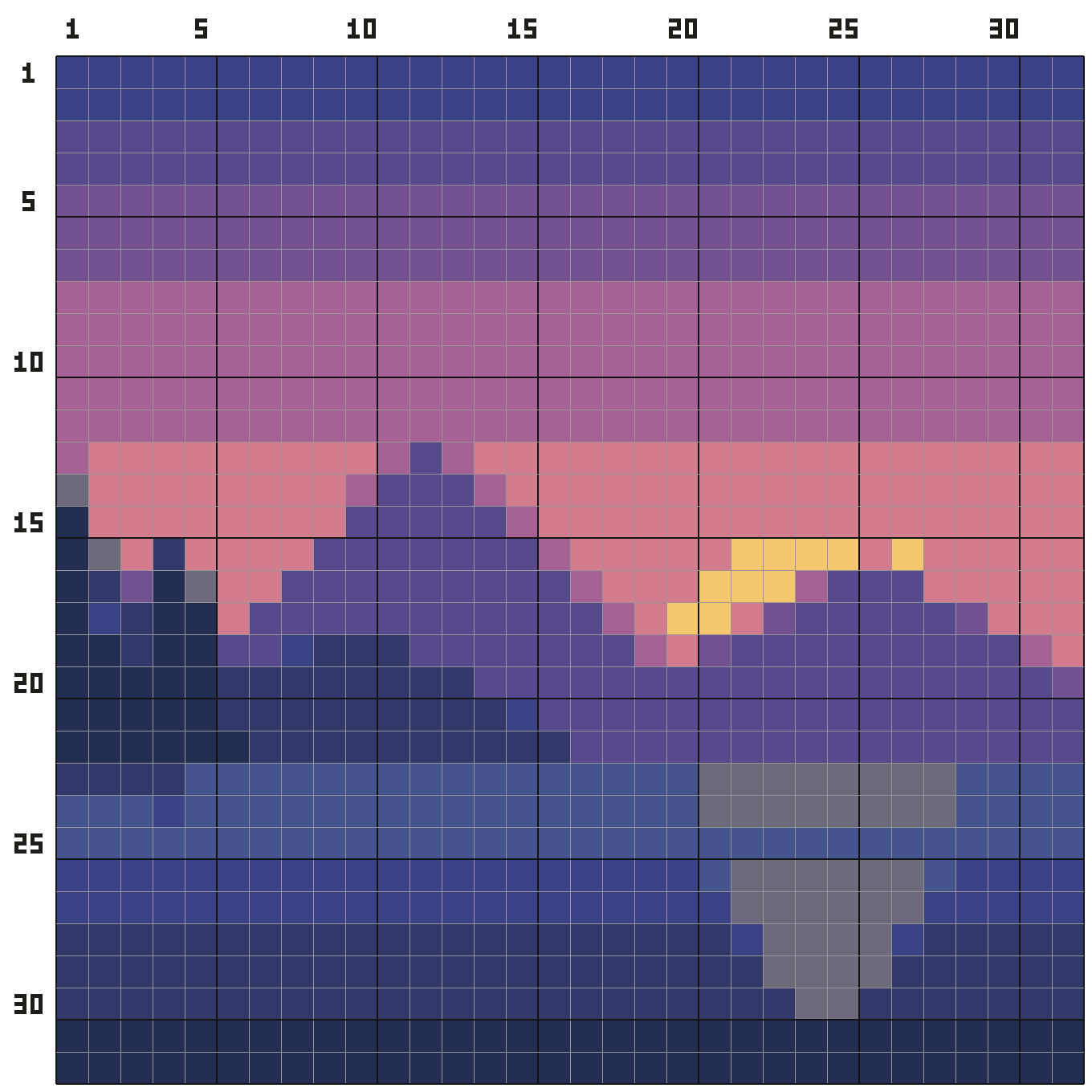
This chart came from the same printable grid code that runs on this page, using a sample sunset picture: 32 × 32 cells, 10 colors, numbered every 5 cells.
How to make a pixel art grid from an image
A pixel art grid is a chart where every square is one cell of your design: one bead, one stitch, one block or one square on graph paper. This page sets up the converter for grids, with grid lines already on and a medium 32-cell width.
- Upload your image. Simple pictures with a clear subject make the easiest charts.
- Set the grid size. The pixel width is the number of columns. Rows follow the shape of your picture, or tick Square for an equal number of rows and columns.
- Limit the colors. Every color is something you have to buy or find, so keep it low: 6 to 12 colors is plenty for most projects.
- Download the printable grid. Click Download printable grid for a white chart with numbered rows and columns, ready to print.
If you only want the pixel art itself, without a chart, use Download PNG or go to the main image to pixel art converter.
What the printable grid includes
- Numbered edges. Columns are numbered across the top and rows down the left side, starting at 1, with a number at every 5th or 10th line.
- Heavier guide lines. A dark line every 5 cells (grids up to 64 cells) or every 10 cells (larger grids) so you never lose your place while counting.
- Large, even cells. The cell size is chosen automatically, between 12 and 40 pixels, so a 32 × 32 chart is about 1,360 pixels square and prints sharply.
- A white background. Transparent parts of your image stay white, which saves ink and makes empty cells obvious.
Pick the right grid size for your project
| Project | Typical grid size |
|---|---|
| Fuse beads on one large square pegboard | 29 × 29 |
| Small cross-stitch motif | 30 to 50 stitches wide |
| Cross-stitch picture | 60 to 120 stitches wide |
| Graph paper drawing | 20 to 40 squares wide |
| Knitting colorwork chart | match your stitch count |
For cross-stitch, divide the stitch count by your fabric count to get the finished size. On 14-count Aida, a design 70 stitches wide is 5 inches wide.
Read the color list
Under the canvas, the converter lists every color in your grid with its hex code and the number of cells that use it. The list is sorted from most used to least used, so the first color is the one you need most of. Click a color to copy its hex code, or use Copy all hex codes to paste the whole palette into a note or shopping list.
If a color only appears in a handful of cells, lower the color count by one or two. Tiny islands of a color are slow to place and hardly change the picture.
Tips for a chart that is easy to follow
- Turn dithering off. Dithering scatters single cells of different colors to fake gradients. That looks good on screen but is tedious to bead or stitch.
- Use a fixed palette if you can. If you already own a set of colors, paste their hex codes into Custom hex codes so the chart only uses colors you have.
- Check it on screen first. Turn on Show grid lines in the preview and look for stray single cells before you print.
- Print a test page. Print once in black and white to check the scale and numbering before you use colored ink.
Pixel art grids are just one use of the converter. To start from a portrait or a pet photo, the picture to pixel art page has better default settings, and the image to pixel art home page has every option in one place.
Pixel art grid questions
How do I print the pixel art grid?
Click Download printable grid, open the PNG and print it with the Fit to page option. A grid up to about 40 cells wide fits on one sheet of A4 or Letter paper with cells you can still read.
What do the thick lines mean?
They mark every 5th cell on grids up to 64 cells, and every 10th cell on larger grids. The numbers along the top and left edge match those lines, so you can find any cell quickly.
Can I make a blank pixel art grid?
Yes. Upload a plain white picture, choose the size you want, and download the printable grid. You get an empty, numbered grid to color in by hand.
How many beads or stitches of each color do I need?
Look at the color list under the canvas. It shows how many cells use each color. Buy a few extra of each color to allow for mistakes.
Can I change the grid line color or cell size?
Not yet. The printable grid always uses gray lines with black lines for every 5th or 10th cell, and the cell size is set automatically from the grid width.